More emails!

It’s a subject that comes up time and time again when I talk to anyone about productivity and workflow. How do I get through my emails!? I have 1000 emails in my Inbox and I don’t know where to start! Help! What do i do! So, here are some things to think about.

Your email Inbox is a capture tool not a storage solution

Ok, so, your Inbox is an input device. People send you things to it when they want you to do something, or they need some information from you, or they have some information that they think may be of interest to you (or they are covering their backs by cc’ing everyone in the world into an email that is only relevant to a few but it means later down the line they can say, ‘well I did tell everyone’. Such emails are what your Delete keys live for!).

It follows then that if your Inbox is a ‘capture – input’ device and not a storage solution you need to clear it out regularly or you will lose sight of what it is ‘it’ is capturing on your behalf. This leads to emails disappearing off the bottom of the screen never to be scrolled to again until you get a withering email from John in Accounts Payable asking if you can respond to his email from a fortnight ago. When such a thing happens you have done two things (minimum). You have eroded your professional status as John in Accounts Payable now thinks you’re a bit useless and John in Accounts Payable has had to take time out of his day to chase you up so he now has more to do than he should have. And then John in Accounts Payable says to all his colleagues the next time someone from your department doesn’t return an email, ‘well you know what they are like in ‘insert your department/profession here’ they never get back to you‘. So now you’ve eroded your professional status, the status of your department/profession and wasted John’s time.

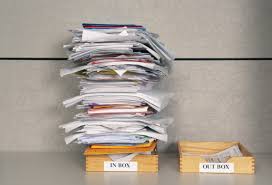
As my favourite productivity guru David Allen says – you must – every day – get IN to EMPTY. That includes your Inbox.

Managed but not necessarily done.

Getting in to empty doesn’t mean that everything in your Inbox is done. No, No! It just means that it is managed and is in your workflow system somewhere where you will find it when you need to do it or think about it. There is strong research evidence to suggest that unmanaged tasks have more of a psychological drain than incomplete tasks. If your tasks are managed, clearly defined, and in your workflow system then you are not left wondering what there is to do lurking in those unmanaged emails. You might look at what is to do and think – how am I ever going to do all of that – but at least you know what it is. You have controlled it rather than having it (namely in this example your Inbox) controlling you psychological. And John in Accounts Payable stands a chance of getting his email!

The first time is the hardest time.

If you are pondering getting your Inbox to empty for the first time then you are likely to feel overwhelmed. I hear reports of people with 8000 and more emails in their Inbox. Each one of those is draining to one extent or another your psychological capacity if for no other reason than you always thinking, ‘I must get that Inbox clear’. Imagine starting everyday, when you open your email, not being confronted with that Inbox but being confronted with an Inbox that only contains emails that have arrived since you last looked at it! It’s like magic! It’s like Mickey is about to burst out of the Disney birthday cake with celebratory balloons!

But where do you start?

This is a difficult one and you are probably not going to like some of the answers but…. you will love the outcome when you empty your Inbox on a daily basis and listen to all of those other people saying, ‘I wish I could get my Inbox empty’, and you think, ‘Hey! I do! That’s not me’.

Firstly, I am confident, especially in this modern workplace we exist in, that if an email is older than about 3 months your response to it is probably useless or worse embarrassing, that it took you a quarter of a year to respond. Now – I think you can probably delete them but…. but given that you felt immediate panic as you read that …I’m not going to ask you to!

Create a folder in your email programme. In Outlook it’s in New Item/Folder. Just in case you haven’t found it yet šŸ˜‰ Call it something like ‘Older than 3 months’. Drag anything older than 3 months into this folder and breathe. You can go back to it and work though it if you need/want to. But, I’m confident there’s probably nothing in there worth worrying about. John in Accounts Payable wouldn’t have waited 3 months. (If moving everything older than 3 months is freaking you out you could go for a different numbers of months). This is how I started when I wanted to Reset my emails and… I never when back into that folder… ever.

Next you are going to have to find some time to work through the last 3 months worth of emails. Here’s something to keep in mind. Lots of the things in there can probably be deleted because even 3 months is a long time in the workplace. I guarantee as well that there will be lots of things left lying about in there that you’ve actually done and they just need filing.

Don’t do anything yet. Find a space in your calendar when you can dedicate a good period of time to this task. I’d suggest giving yourself a day. Here’s one of those things you might not like. I did mine on a Sunday. In my time. And I did this for three reasons. I genuinely felt that this was my mess so the fact I had to sort it out in my time – well – that’s just the way it was. But secondly and much more importantly – the feeling that I had opening up my email on the Monday morning after I did it was amazing! Finally – Sunday is going to be a day when you won’t be interrupted. You can just get on and do it and get through it. You pick your own slot that fits with you.

If you don’t want to do that or you really can’t find a half day or a full day then you are going to have to diary out an hour periodically to work away at it. This is not as effective in my view but if it’s what you have to do then it’s what you have to do. It will take you longer in the long run because there is a ‘start-up’ time to get up to speed and remember where you were up to every time.

Let’s go!

Ok, so we’ve got our time set aside and we are going to get Inbox to empty for the first time. It’s going to be amazing! Personally I would start at the top with the most current emails. This way you see the last thing in the thread and may find you can move or delete groups of emails in one go if you know the task or conversation is done.

Before you start create some folders in Outlook. Create a unique folder for all of the projects you are involved in and all of the groups you attend. Try not to go too mad – you don’t want hundreds but enough to be able to store emails under a sensible heading.

Also, while we’re doing this I find another few folders useful. I have a folder called Needs Action. In fact it’s actually called ***Needs Action*** for two reasons. It makes it stand out and, because (if the folder is in your Inbox) it is sorted alphabetically so folders named with symbols at the start appear at the top. (It works the same in normal folders – so things you want to find quickly can appear at the top!) I also have a folder called ***Need to Read***. This folder is less urgent than Needs Action but is still important. I then have a folder called Mailing Lists and i have filters set up to direct any mailing list emails to this folder. And! Finally! I have 5 folders – One for each day of the week.

Here we go! Use this approach below when doing this Reset process and also when dealing with emails daily.

DO IT. Apply the two minute rule. Can I do what this email is asking of me in 2-minutes. If I can then I’m just going to do it and once I’ve done it I’m going to move the email into which ever folder is appropriate (or delete it if you are completely done with it). Try this – you will be surprised how much you can get done in 2-minutes.

DELEGATE IT. Delegation is not just top-down. Delegation here means that you need something from someone in order to complete whatever you are being asked to do. You email them and then you are done with that email for now. You have delegated the next action in the process to them. How much you want to keep an eye on the other person and the response you need defines what you do next. If it’s of low importance you can move the email into one of your folders. You’ll be reminded to do the next thing when the person gets back to you. If you need to keep an eye and make sure that you do get a response you could move it into ***Needs Action***. Part of your email strategy is going to be to check the emails in your ***Needs Action*** folder periodically. If it’s mega important you could put an entry in your calendar on the day you want to chase the email up to tell you to do that.

DEFER IT. If the task is simply too big to do in 2-minutes and you don’t need something from someone else then you need to put a task into your workflow system into a date and time when you will deal with the task. I have a couple of strategies here. The task goes into Date/Time if it’s date and time specific or there is a sense of urgency to get it done. If it’s something I need to get done ‘sometime’ it goes into Daily Tasks (that’s the bit at the top of the Outlook Calendar/Google Calendar). When you create the task in a day you just tick the ‘All-Day’ task box. This means to me – I need to get this done and I might have a chance of doing it on that day. At the end of every day any tasks in my ‘All-Day’ tasks get moved into a different day when I might get the done. I have a 3 moves and you’re out rule. If I move a task 3 times it gets a date and time slot to make sure it gets done.

Also utilise that ***Need to Read*** folder for stuff that’s interesting… papers, web sites, videos (I know you don’t read them but you see what I mean!). Pop something in your dairy once a week that nudges you to go and have a look and actually read something!

Once you’ve Deferred the Task into your workflow system you need to move the email. You can use your ***Needs Action*** folder or a more elegant solution is put the email (assuming you need information that’s in it to do the task) into one of your daily folders. If there’s not much information in the email you need you could cut and paste it into the Notes section of the task and ‘file’ or delete the email. I leave little helpful notes in the task for myself like Write Report for Jane – see email in Daily Inbox – so I know where to go for what I need. The key is – don’t leave it in your Inbox!

I’m confident many of the emails you will have to work through when getting in to empty for the first time are emails that should have gone into your workflow system in this way but you’ve left them in your Inbox in the vague hope that you’ll spot them again at some point and maybe do something about them! ‘Hope is not a strategy’ as John Calvin Maxwell said.

Finally DELETE IT – if it’s of no use to you or you’ve read and thought ‘interesting – thank you’ but you don’t need it anymore delete it. Or at very least file it in your ‘That Was Interesting’ folder.

Proceed until your Inbox is Empty!

Now comes the easy part…..

How to keep ‘In’ empty

First rule! Email is an activity that you need to do in a focussed way not just something you do when you get a chance. You are going to do emails at two key points in the day. First thing in the morning and last thing at the end of the day. Once you get into the habit of this ‘first thing in the morning’ gets easier and easier as the only things that have arrived are the things that arrived late in the day after you went home.

Set aside however much time you think you need. I set aside half an hour in the morning an half and hour in the afternoon. You may need more or less. But you need to do it in this way or you will only complete this task in between other tasks. I’m confident you will have so much to do that this primary method of communication in the office environment will play second fiddle to other things if you don’t specifically allocate time to it. You’ll end up with an Inbox that is out of control with thousands of emails in there… Oh! hang on a minute….

If organisations want us to communicate primarily in this way then it needs the appropriate attention. (I also check my emails just before or just after lunch for about 20 minutes if I have the time).

When you are not actively dealing with emails close your email down and switch off alerts. There is lots of research evidence to suggest that responding to emails when trying to do other tasks slows you down on the other tasks. There is also evidence that even just knowing there’s an email there drags your attention away from focussed work.

So at your allotted time every day you use the ‘do it, delegate it, defer it, delete it, approach’ above (this is also a David Allen trick – I love David Allen!) and get your Inbox to Empty. If you miss one of these slots because of other things then doing it when the chance comes around next time in your diary becomes doubly important. My advice is protect this email time with your life (well… not quite… but you get what I mean) or your email will escalate out of control very easily. So, put this in your calendar as a repeating event. DO NOT leave it to chance! Put it in your calendar.

Writing things down gives momentum to the task (honestly! – well researched) and the calendar entry will nag at you to do it. Schedule longer on a Friday afternoon just in case things have got a little ‘untidy’ so that you can get it sorted. I also have a weekly entry in my diary on a Wednesday (that’s when it works best for me) that says Check ***Needs Action*** folder.

And then keep going….

I’m not going to lie – it’s a tough task. We get far too many emails which is why Inboxes get out of control but the essential thing is ‘Control It or It will Control You’ (David Allen again!)

The ā€˜Two Minute’ Rule

Being productive either at work or at home is a crucial part of being organised and being organised is essential to a happy and content life I feel ……All your ducks in a row so that you just get on with your day.

I live by the ideas in David Allen’s book ā€œGetting Things Doneā€ and by far the most effective, easy to implement, approach is the two minute rule. Simply put…. If it’s going to take you less than two minutes to do it just do it… don’t even think about it… just get on with it. This little productivity hack gets so much done in my world!

I find it most effective in dealing with email. As Allen points out your inbox is a collecting tool not a storage tool so your email inbox should be empty! How many of us can say that! The problem is once they disappear off the bottom of the screen you may as well delete them as they risk being forgotten about! The two minute rule is so effective at getting through the morning grind of ā€˜getting in to empty’, as Allen puts it, that my inbox is routinely empty (or nearly empty at least). It’s amazing how many things only take a small amount of time but how easily they all mount up and then become onerous. And once those emails disappear off the bottom of the page they get forgotten about…. You know they do… and then they eat away at you as you wonder what’s further down the inbox list! The beauty of emptying your inbox daily and doing something with the things you find there (diary it, delete it, delegate it, or put it into your ā€˜trusted system’ (more on this soon)) is that you know that, if you don’t get back to your email for the rest of the day, there’s nothing in there you don’t know about that’s more than a few hours old! That’s a great feeling.

The two minute rule works just as well in other areas! At home the dishwasher gets dealt with while I’m making a cup of tea, the bin gets emptied as soon s it’s full, the recycling gets put out, the cooker top gets cleaned while the coffees on… and on it goes…. Things just get done… and you feel so much better and have more space to do the important stuff. Simple.

SO what do you do if it’s going to take more than two minutes!? What’s this ā€˜Trusted System’ idea. Ah! That’s for another blog…

Emails… the modern tool or the modern scourge?

Emails are great…. and they are not great! Emails allow you to ask the same thing to a number of people at the same time and get answers back quickly – that’s great! …and it can be a nightmare! How many of you get cc’d into things and wonder… “why has someone included me in this!?” For such emails there is the ‘delete’ button! Emails let you send things to people wherever you are and whatever time it is! That’s great…. and that’s not great!

Like them or loathe them they are here to stay I’d imagine though. They appear to have caught on! There are various estimates but it appears the average person at work sends and receives about 130 emails per day. In ‘Organised Mind’ Daniel Levitin tells us that even outside of work we process around 100,000 words every day! That’s remarkable. How do we manage this information overload.

Well, as David Allen, author of ‘Getting Things Done’ says…. if you don’t control it, it will control you. And, as a manager I had was fond of saying, ‘you need to get ahead of it’. Steer it from the front rather than chase it.

How many are in there!?

So, how do we manage this onslaught of information, and particularly for this article, how do we manage emails. David Allen says that your Inbox is a capture tool not a storage tool. Your job on a daily basis should be to ‘get in to empty’. How many emails are in your Inbox at work? I bet for some of you it’s hundreds and once they disappear off the bottom of the screen they disappear out of your mind. ‘I emailed you about it’, ‘Don’t think I’ve seen it’, ‘It was a week or so ago’, scroll scroll scroll…. ‘oh there it is’. If your Inbox is empty, or at least down to a handful of emails, there can be nothing in there that’s more than a few hours old, or a day at most.

If your Inbox is overflowing set yourself some time aside and systematically work through it. You’ll feel great! I bet anything that’s older than a week or so can be deleted or saved somewhere. And then once you are down to a manageable amount you’ll find it easy to keep on top of them.

There’s a process you can go through to get in to empty – and it comes to us courtesy of the wonderful David Allen again! When working through your emails, take them each in turn and either ‘Do it, Delegate it, Defer it, or Delete it’.

Let’s have a look at each of them in turn. There will be some things in your Inbox that you can just ‘Do’. Here’s your chance to apply the 2 minute rule. If it’s going to take you less than two minutes to do just do it. Don’t procrastinate, don’t leave it till later… just do it. There’s a thing called the planning fallacy that leads us to overestimate how long small tasks will take and underestimate how long big tasks will take (more on that last one in a different article later). There are loads of emails you can do in two minutes. And when you have dealt with the email either save it off to a folder or delete it. You’re done with it.

The next one is ‘Delegate It’. Delegation is not a ‘down the command chain’ activity. It is merely passing something on to someone because they need to do, or you need information from them so you can do it. So you can delegate up, across, or down depending on what you need. So if you can pass it over or ask for information then do that and then file or delete the email.

Then you may need to do some work in order to respond to an email or, the email may have given you a task to work on. So you ‘Defer It’ for these ones into what Allen calls a Trusted System. We’ll talk more in another article about ‘trusted systems’ but essentially if there is something to do, put it somewhere where you will be reminded to do it. For me, if things are time and date specific they go in my calendar in a time and date slot. If something is actionable but not time and date specific it goes into my calendar as an ‘all day’ event on a day where I might be able to get to it. If something needs some thought and planning and isn’t time and date specific it goes into my master spreadsheet. Once it’s in one of those places I save or delete the email.

Finally, in this process, if something isn’t for you or of interest to you ‘Delete It’! Go on you’ll feel good!

I pick up and work through my emails twice a day. First thing on a morning and last thing on an afternoon. I sometimes have a look in the middle of the day if I have the time and I follow the methodology above. It goes like this. I work through the emails and delete the ones that I can. I then make another pass and use the 2 minute rule to do things or delegate things. This leaves me with the meaty emails that I need to defer into my trusted system. I then work through those and put what I need into my calendar or spreadsheet. And then, by that point, I will have got in to empty, safe in the knowledge that when I next look there can be nothing in there I don’t know about that’s more than few hours old. And if, for some reason, I don’t get to check them again that day, I know the next day that there is nothing in there that is more than 24 hours old. No one has been waiting on me for very long. It make you feel so good and so in control and frees up loads of psychological capital to do other things.

Note though – when I’m not actively dealing with emails my email client is shut down with notifications switched off. When I’m not doing emails, I’m not doing emails, because I’m working on other equally important things! Research by Microsoft showed that if you are working on a task and get distracted by an email it takes you up to 15 minutes to get back up to the speed on that task you were working at prior to going to check the email. That’s a huge productivity loss. So either be emailing or be not emailing. The idea of multi-tasking is a myth. Trying to write a report and answer emails as they come in will slow down your productivity in relation to both and research has shown that you will be more prone to mistakes.

Emails! They are necessary but you can manage them. Having them under control will reduce stress and allow you to focus on other tasks without worrying about what’s in there!

  • Start by emptying your Inbox… you’ll feel great!
  • Use ‘Do it, Delegate it, Defer it, Delete it’ every time you work on emails to get in to empty
  • Set specific times in your day to do emails
  • Outside of those times don’t check your emails

The ‘Two Minute’ Rule


2min

Being productive either at work or at home is a crucial part of being organised and being organised is essential to a happy and content life I feel ……All your ducks in a row so that you just get on with your day.

I live by the ideas in David Allen’s book ā€œGetting Things Doneā€ and by far the most effective, easy to implement, approach is the two minute rule. Simply put…. If it’s going to take you less than two minutes to do it just do it… don’t even think about it… just get on with it. This little productivity hack gets so much done in my world!

I find it most effective in dealing with email. As Allen points out your inbox is a collecting tool not a storage tool so your email inbox should be empty! How many of us can say that! The problem is once they disappear off the bottom of the screen you may as well delete them as they risk being forgotten about! The two minute rule is so effective at getting through the morning grind of ā€˜getting in to empty’, as Allen puts it, that my inbox is routinely empty (or nearly empty at least). It’s amazing how many things only take a small amount of time but how easily they all mount up and then become onerous. And once those emails disappear off the bottom of the page they get forgotten about…. You know they do… and then they eat away at you as you wonder what’s further down the inbox list! The beauty of emptying your inbox daily and doing something with the things you find there (diary it, delete it, delegate it, or put it into your ā€˜trusted system’ (more on this soon)) is that you know that, if you don’t get back to your email for the rest of the day, there’s nothing in there you don’t know about that’s more than a few hours old! That’s a great feeling.

The two minute rule works just as well in other areas! At home the dishwasher gets dealt with while I’m making a cup of tea, the bin gets emptied as soon s it’s full, the recycling gets put out, the cooker top gets cleaned while the coffees on… and on it goes…. Things just get done… and you feel so much better and have more space to do the important stuff. Simple.

SO what do you do if it’s going to take more than two minutes!? What’s this ā€˜Trusted System’ idea. Ah! That’s for another day…. Or do read the book!

[Stephen Mordue]